nu — Cheese your Mac.
- No SIP disablement
- No admin password
- No internet
- Built entirely on Apple’s native frameworks
- Easy key trigger
Window Manager
I only use F + another key in this video (all of these are configurable)
E: Switch windows
A: Switch iTerm (terminal) windows only
Z: Switch Brave (browser) windows only
S: Show all windows
W: Focus on the next window
J, K, L, I: Move a window

D: Switch spaces
C: Show all spaces
Key Remapper
This OS-level key remapper lets you directly trigger all internal functions, features, and user macros
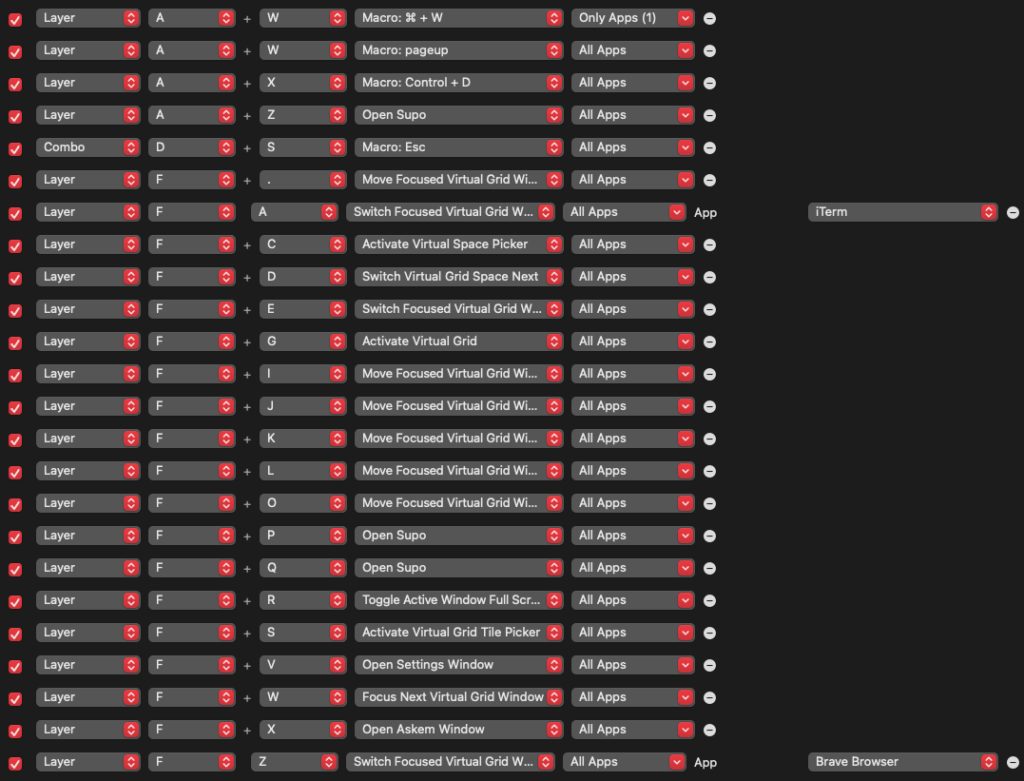
eg
Simple key mapping
Hold F, press E, switching the windows
Per-app behavior
A + W ⇒ Page Up (default), Command + W when Brave is active
You no longer need to:
- Use verbose hotkeys (eg Command + Option + 1)
- Use modifier keys (eg Command, Control, fn, Shift)
- Assign macros, layers, tap dances, combos per keyboard in QMK/ZMK/Vial etc
Unlike QMK, there is no concept of layers, rows, or columns
Each key is treated simply as itself, so A is A and B is B
Put simply, the same setup can be used no matter what keyboard you have
MacBook’s built-in keyboard, your weird smol board, or the keyboard at the office
Just plug it in and it works just the same
Text-driven Controller
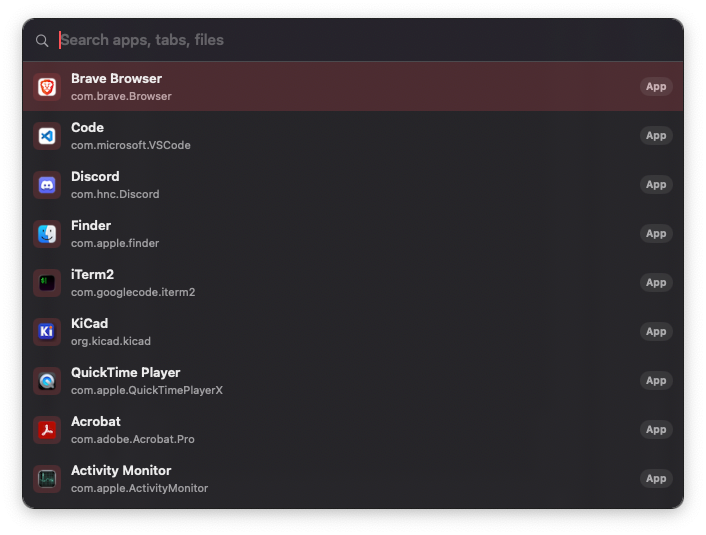
This makes all of these searchable and controllable
- Files
- Apps
- Browser tabs
- Clipboard
- UI element in a web page
- Items in the menu bar
- System settings/UIs
You can also ask AI in your favorite browser
Voice Command
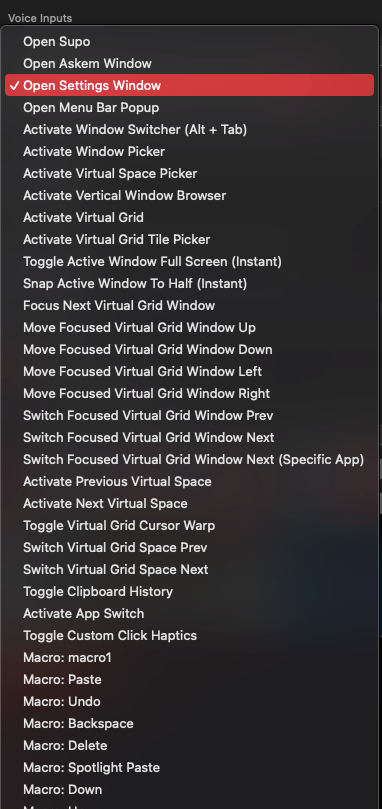
All features can be invoked via a custom phrase you configure
eg
- Saying ‘next’ to move to the next space
- Using the Apple’s native dictation feature to turn your speech into text
Even children, older adults, and individuals with physical disabilities can control a Mac easily using just their voice
Bonus features
- Screen resolution switcher
- Mouse scroll direction reverser
- New scroller
- Live wallpapers/videos
- Trackpad haptic feedback controller
About the naming
It embodies the idea of solving the long-standing challenge.
Computer interaction.
Input/Output

↑↓

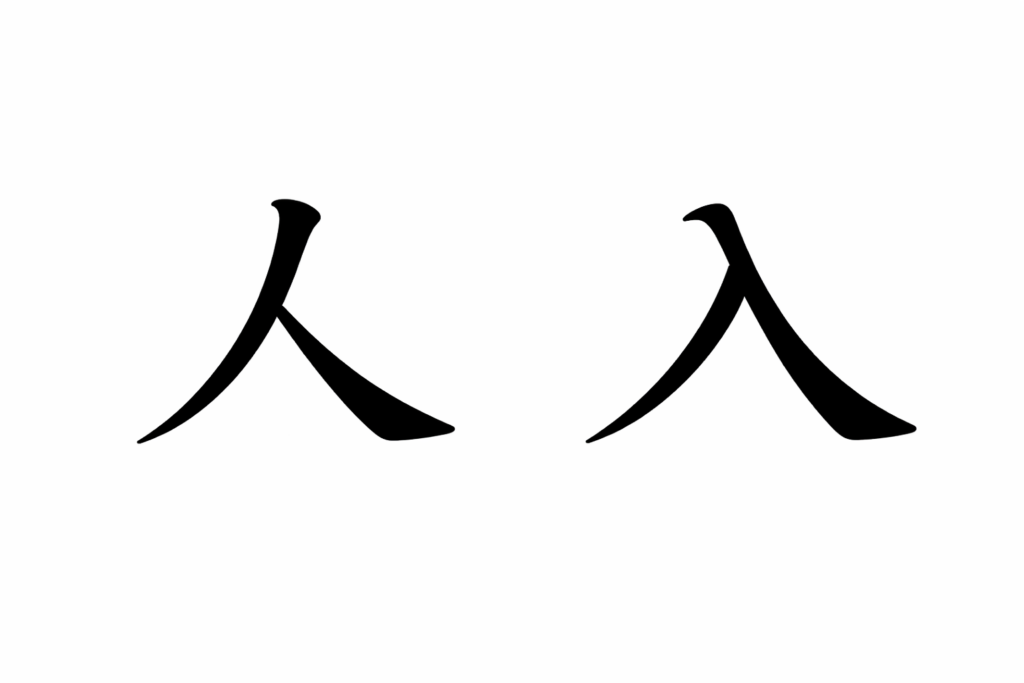
nu
nu sounds the same as ‘new’
In Japanese, if you map its sound to a kanji, it becomes ‘入’
It means ‘input’
And when inverted, it forms the kanji ‘人’
Meaning: ‘human’